Amazon’s big Fire TV redesign is rolling out, and the new interface looks great

What you need to know

  • Amazon has started rolling out its redesigned Fire TV interface to select devices in the U.S. after debuting it at CES 2026.
  • The new UI moves navigation to the top and surfaces content from all streaming apps, not just Prime Video.
  • Users can now pin up to 20 apps and may see up to 20–30% faster performance with the updated Fire TV OS.
  • The update also adds smarter Alexa+ features and improved smart home controls via the remote.

Amazon showcased its biggest redesigned Fire TV interface at CES 2026, and it is now starting to roll out to select Fire TV devices in the U.S.

Fire TV has kept a similar look for years, but Amazon is finally refreshing it with a new UI that looks better, performs faster, and is easier to use. Amazon says the redesigned Fire TV update is rolling out now to the Fire TV Stick 4K Plus, Fire TV Stick 4K Max (2nd Gen), and Fire TV Omni Mini-LED Series for users in the U.S.

Like Google TV, Fire TV now shifts navigation elements to the top of the screen instead of the middle. The new top navigation bar includes Menu, Search, and Home buttons, along with tabs for Movies, TV Shows, Sports, News, and Live TV.

These tabs surface content from across your subscriptions, not just Prime Video, meaning titles from Netflix, Disney+, Hulu, Peacock, and more appear here.

Previously, Fire TV allowed you to pin only six apps on the home screen, but now you can pin up to 20 for faster access. The UI feels closer to Google TV in layout, but overall, it looks cleaner and easier to navigate compared to earlier Fire TV versions.

Alongside the redesign, Amazon is also promising better performance. The company claims the new Fire TV OS can deliver up to 20 to 30% speed improvements in certain scenarios.

The update also makes it easier to access smart home controls and frequently used settings. After updating, holding the Home button on the Fire TV remote opens quick controls, including audio and display settings, as well as connected devices like Ring cameras.

Of course, Alexa+ also plays a big role in the new experience. You can ask natural-language questions beyond just movies and TV shows and even follow up with conversational prompts. It also supports on-screen context, so you can highlight a title and ask for plot details or recaps of earlier seasons.

If you have a supported Fire TV device, you can check for the update by heading to Settings > My Fire TV > About and selecting Check for Updates. Once installed, you should see the redesigned interface.

Android Central’s Take

I’m honestly a bit jealous since the rollout is limited to the U.S. for now. Users in other regions, including me, will likely have to wait until Spring 2026. The new interface looks genuinely good, and I want it on my Fire TV as soon as possible.

Like this article? For more stories like this, follow us on MSN by clicking the +Follow button at the top of this page.

Gen Alpha Flexes It’s Three Billion Pound Spending Power

It was a long time ago now, but I still remember how the coolest girl in my class used to dress when we were 15. Let’s call her Laura. She was the first to wear Kangol hats, Adidas Gazelles, tiny Kookai tops – looks the rest of us quickly copied. She was also the first to pluck her brows into skinny arches. A week later, there was barely an eyebrow hair in our year group.

Almost 30 years later, teenagers still use clothing for self-expression and social currency. But their spending power has grown dramatically, with the banking app GoHenry recently putting it at £3.3 billion. They also found that, rather than the toddler years when you’re paying what feels like a second mortgage in nursery fees, it’s the teenage years that are the most expensive for parents, when demands for clothing, beauty and tech collide.

The nature of peer influence among Gen Alphas (those born after 2010) has also shifted. There are still early adopters, like Laura, but today’s teens are more likely to discover brands through social media than their friends. Which is an entirely new concept, points out Luke Hodson, founder of youth marketing agency Nerds Collective. ‘In real life, most kids aren’t well connected. But, thanks to their phone, they’re now seeing the trends that are happening in LA, New York, Shanghai, London, Marseilles. That’s how they discover things.’

Meanwhile, the relentless pace of TikTok has accelerated the trend cycle and turned it upside down. ‘Often it’s not the fashion brands bringing the trends, the trends are starting bottom up,’ says Hana Ben-Shabat, founder of Gen Z Planet, a research, training and advisory firm. She cites the case of the Aerie leggings that sold out globally a few years ago after US influencer Hannah Schlenker wore them in a TikTok dance that went viral. And the brands that have won over teenagers in this new style landscape might surprise you.

Take Longchamp. Founded in 1948, its foldable Le Pliage leather and canvas tote bags were once a staple of the kind of affluent woman who shopped at Waitrose. Recently, they have become a secondary school status symbol. Shopping platform Lyst reports demand for Le Pliage has grown around 68% year on year for the past five years. The bag was featured in Emily In Paris and its presence on social media feels youthful but never obviously ‘teenage’; think rather cool 20-somethings styled in earthy tones, grabbing a coffee on their way to the office. Some of the teenagers I spoke to buy them for around £50 on Vinted, which tallies with the data. According to the GoHenry study, 11% of Gen Alphas regularly buy and sell their clothes on secondhand sites.

Rather than browsing within brands, Gen Alphas search for specific products they’ve seen on social media.

The Longchamp bag’s soaring popularity echoes a shift that Lyst’s VP of brand and communications, Katy Lubin, has noticed in the behaviour of younger shoppers. Rather than browsing within brands, Gen Alphas search for specific products they’ve seen on social media, including Parke’s sweatshirts (a cosy brand launched by a 28-year-old TikTok influencer), Ugg slippers and New Balance 550 trainers. Retro looks are popular too, which is perhaps why adidas is succeeding with this cohort.

Poppy, 16, told me ‘everyone my age has gone off Nike and switched to adidas, inspired by old school ’90s/2000s’. Hodson agrees that adidas has played its hand well recently, ‘cleverly curating’ its offering to appeal to Gen Alpha, whether seeding products with influencers or launching colourways designed to pop on social media, while never overtly positioning any products as ‘for teens’, which is important, he says. ‘Young people like self-discovery of brands. There are teenagers who feel as though they’ve discovered the Gazelle for the first time ever.’

As well as heritage brands, there is a newer wave of labels designed for social media, such as White Fox, which does a brisk trade in oversized £55 hoodies in pastel colours with the brand’s name emblazoned on the back, as well as sexy crop tops and huge jogging bottoms. Hodson describes it as ‘influencer coded, designed for the feed’; its campaigns ‘just popped on social environments’. The Australian brand became popular among teens in the 2020s. ‘Branding was optimised for short-form video content; the algorithm took it and just went with it.’ Many other brands mentioned to me by teens sell a similar cosy-yet-frequently-booby look I, for one, would have loved at that age. ‘I see a lot of people online wearing Edikted,’ says Poppy.

Or, as Sienna, 16, puts it, ‘All my friends dress the same – Kaiia The Label hoodies, Scuffers tracksuits, Gymshark for the gym and Edikted. All the brands you see your favourite influencers on TikTok wearing. I love Brandy Melville for drawstring trousers, vest tops and jumpers.’

But whether any of these brands will be in teen closets this time next year is anyone’s guess. ‘Social media trains your brain for speed,’ says Hodson. And for vigilance around questions of ‘How do I keep up? What’s next?’ Teenagers are also ‘trained from an early age around trends’, he says, citing the Labubu as a gateway ‘drug’ to hype. According to him, teenagers are ‘continuously borrowing and discarding looks and taking from different social spaces’.

However, some, like Olivia, 16, are already shifting away from internet-first brands. ‘I’ve moved back to high street shops like Zara and H&M because I like to actually try on clothes, rather than ordering everything online. I went through a stage of wearing White Fox and Pretty Little Thing and wanting to look like all my friends, but I don’t any more.’

Meanwhile, teenagers are becoming IRL influencers themselves – to their own parents, which is never good news for a young, rebellious brand. It was around a year ago that Hodson says he started to see the waning of White Fox, for example. ‘What was crazy was teenage girls were wearing it, then their mums start wearing it,’ which often spells the ‘real end of the trend’, he says. Yep, that’ll do it every time.

Move over LG and Samsung — I reviewed the Philips OLED910, and this masterpiece is brighter, cheaper and sounds better than your OLEDs

Philips OLED910: Two-minute review

The Philips OLED910 is one of Philips’ two flagship OLED TVs from its latest line-up — and yet it’s price more like the mid-range options among the best OLED TVs. Following in the footsteps of its excellent predecessor, the Philips OLED909, the OLED910 delivers flagship OLED performance and features but priced at £1,799 for the 65-inch model I tested, it’s cheaper than all of its high-end competitors.

The OLED910 comes with all the features you could want from a flagship OLED TV, including full HDR and enhanced audio format support. It also comes with Philips’ Ambilight, extensive gaming features, and a solid smart TV platform.

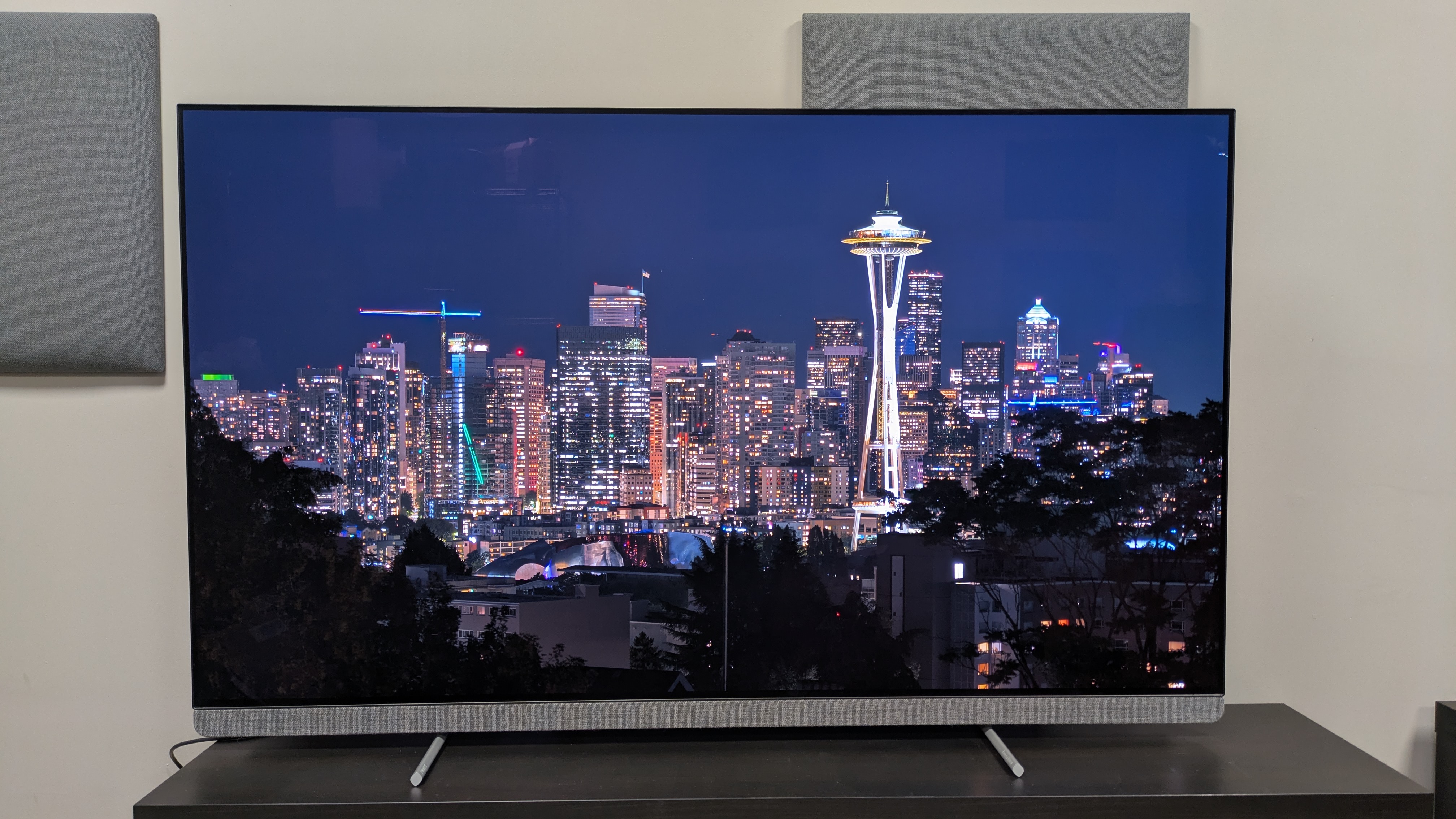
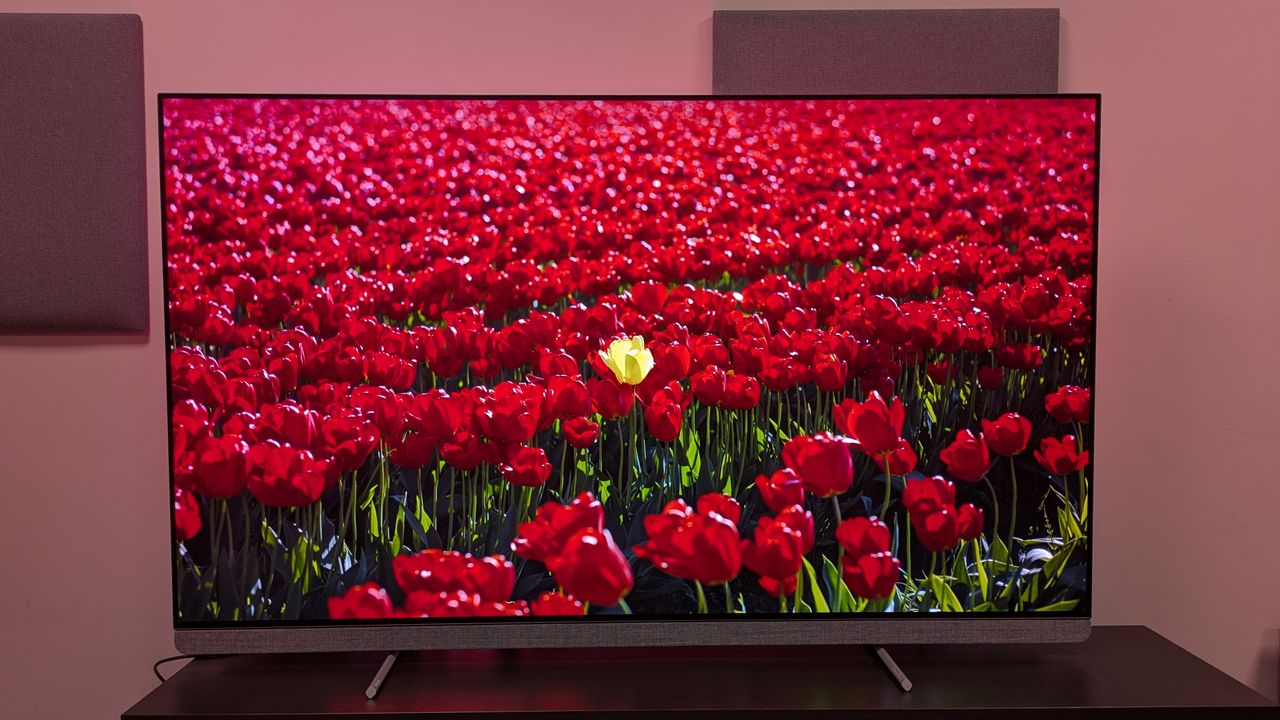
The picture quality of the OLED910 is outstanding. Colours are vibrant but also look accurate, textures are crisp, detail is refined, and contrast is powerful and dynamic throughout viewing. It also has strong motion handling, though this does require some setup. Combining all this with Ambilight makes for an excellent home viewing experience that’s up there with the best TVs.

A rarity in TV, the OLED910 also has an excellent built-in sound system, developed with Bowers & Wilkins. With an external speaker array under the screen to house centre, left and right speakers, the OLED910 delivers impactful, clear and engaging audio. It also has a wide soundstage with pinpoint accuracy. While Dolby Atmos effects are more muted, they are still present. While you could add one of the best soundbars, it’s not a necessity here.

Ambilight is the highlight of the OLED910’s design, as is usual with Philips TVs. Projecting coloured light onto the wall behind the TV to extend the impact of what’s on-screen, Ambilight is versatile and not just useful for movies. Elsewhere, the OLED910 is well built and while its feet design mean placing a soundbar isn’t easy, it’s still a suitably premium TV, with an excellently designed remote supplied.

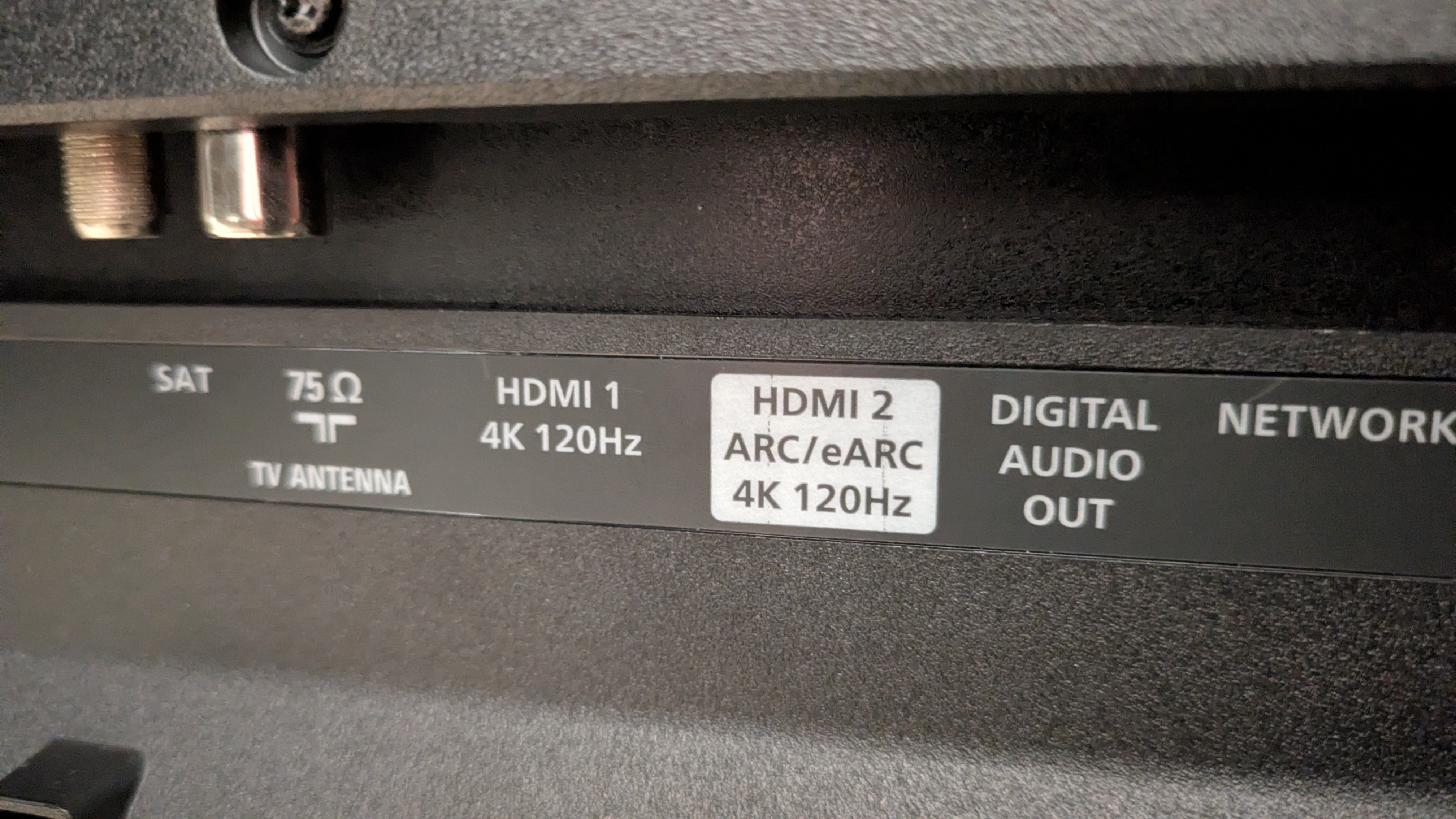
The OLED910 can just about hang with the best gaming TVs, supporting 4K 144Hz, AMD FreeSync Premium Pro, G-Sync and HGiG, Dolby Vision gaming and ALLM, while registering a respectable 12.6ms input lag time. Paired with excellent picture quality and razor sharp performance, the OLED910 is brilliant for gaming in principle — it’s just a shame that only two of its four ports support HDMI 2.1.

Where the OLED910 pulls off a real magic trick is in its price. At £1,799 for the 65-inch model I tested, it’s cheaper than the LG G5, Samsung S95F or Panasonic Z95B, while still delivering the picture quality and performance to compete. If you’re looking for a flagship OLED TV, the OLED910 is the best value for money on the market.
Philips OLED910 review: Prices & release date

  • Release date: September 2025
  • 65-inch price: £2,199
  • 77-inch price: £3,399

The Philips OLED910 is one of its flagship 2025 OLED TVs, sitting above the OLED760 and OLED810 and below the OLED950+. It’s available in 65 and 77-inch sizes in the UK, as well as 55-inch in some other regions. At launch, the 65-inch model (the size I’m testing) cost £2,199, while the 77-inch model cost £3,399.

Since its release, prices have dropped. The 65-inch costs £1,799, which makes it cheaper than other flagship OLED rivals such as the LG G5 (£2,099), Samsung S95F (£2,199), Sony Bravia 8 II (£2,199) and Panasonic Z95B (£2,199). The 77-inch’s price has dropped to £2,799.

Philips OLED910 review: Specs

Screen type:

OLED (Primary RGB Tandem)

Refresh rate:

144Hz

HDR support:

Dolby Vision, HDR10+, HDR10, HLG

Smart TV:

Google TV

HDMI:

4 (2x HDMI 2.1)

Philips OLED910 review: Benchmark results
Philips OLED910 review: Features

  • Primary Tandem RGB OLED panel
  • Dolby Vision and HDR10+ support
  • Four-sided Ambilight

The Philips OLED910 uses a Primary RGB Tandem OLED panel, the same found in the LG G5, and comes equipped with Philips’ latest P5 Gen 9 AI processor, which utilizes new AI Adaptive features for optional optimization of picture quality. The Philips OLED910 supports both Dolby Vision and HDR10+ HDR formats, both of which can be found on 4K Blu-ray and 4K content on some of the best streaming services.

For audio, the OLED910 uses a 3.1 channel, 80W speaker system tuned by Bowers & Wilkins. It supports both Dolby Atmos and DTS:X enhanced sound formats. There are a number of different sound modes available, including an AI Mode.

The OLED910’s unique design feature compared to the competition is its built-in Ambilight. Rows of LEDs on all sides project coloured light onto the wall behind, either matching the video, or reacting to audio, or as a single colour choice. The OLED910 features four-sided Intelligence 3.0 Ambilight, which uses sensors to adapt the Ambilight to viewing conditions, such as brightening in well-lit rooms. This can be adjusted in the Ambilight settings.

The OLED910 supports a good number of gaming features. It supports 4K 144Hz, AMD FreeSync Premium Pro, Nvidia G-Sync, HGiG, ALLM and Dolby Vision gaming, but only on two HDMI 2.1 ports: odd when the step-down Philips OLED760 has four. It also has its own game menu where settings such as Shadow Enhancer and Colour Filter can be adjusted.

Using Google TV as its smart TV platform, the OLED910 supports all major streaming services such as Netflix, Disney Plus, Apple TV Plus and Prime Video, and there’s support for some UK-based apps including ITVX and Channel 4. There is, however, no built-in app support for BBC iPlayer – you’d need a streaming stick for that.

  • Features score: 4.5 / 5

Philips OLED910 review: Picture quality
  • Bold yet accurate colours
  • The brightest OLED TV I’ve tested, with excellent contrast
  • Motion requires some setup

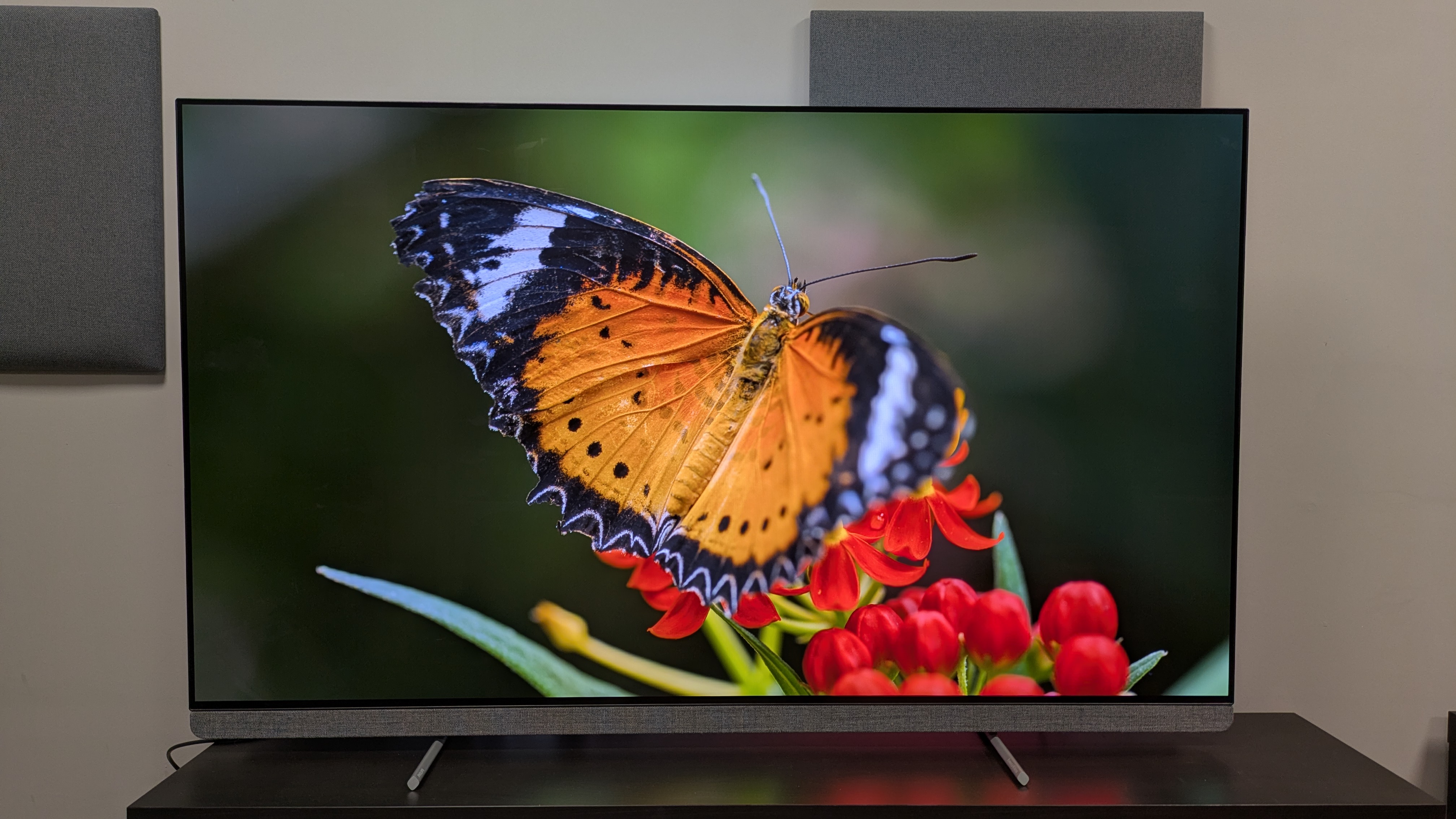
Starting with brightness measurements, the OLED910 hit 2,329 nits HDR peak brightness in Filmmaker Mode, making it the brightest OLED TV I’ve tested in default settings. The OLED910 didn’t have a Standard mode, so I used Personal instead, and this hit 1,565 nits HDR peak. This was with ‘Peak light’ in ‘Brightness’ settings set to Medium (the default) but changing this to Maximum (the default for Filmmaker), it registered 2,415 nits HDR peak brightness.

For fullscreen HDR brightness, the OLED910 hit 406 nits peak brightness in Filmmaker Mode, again the brightest I’ve tested, surpassing the Samsung S95F’s 390 nits.

Colours were one of the OLED910’s strongest areas. During the market scene in The Sound of Music on 4K Blu-ray, the various fruits and vegetables, as well as a bouquet of pink flowers, all exploded on screen with a real vibrancy. The same was true for Edward Scissorhands, also on 4K Blu-ray, as the OLED910 accurately delivered the garish, vivid greens, pinks and yellows of the gaudy neighbourhood houses.

It’s no surprise the OLED910 demonstrated such excellent colours, as it measured a 99.9% coverage of the DCI-P3 colour space, and 81.6% of the BT.2020 colour space. These are superb results that easily compete with its fellow flagship rivals.

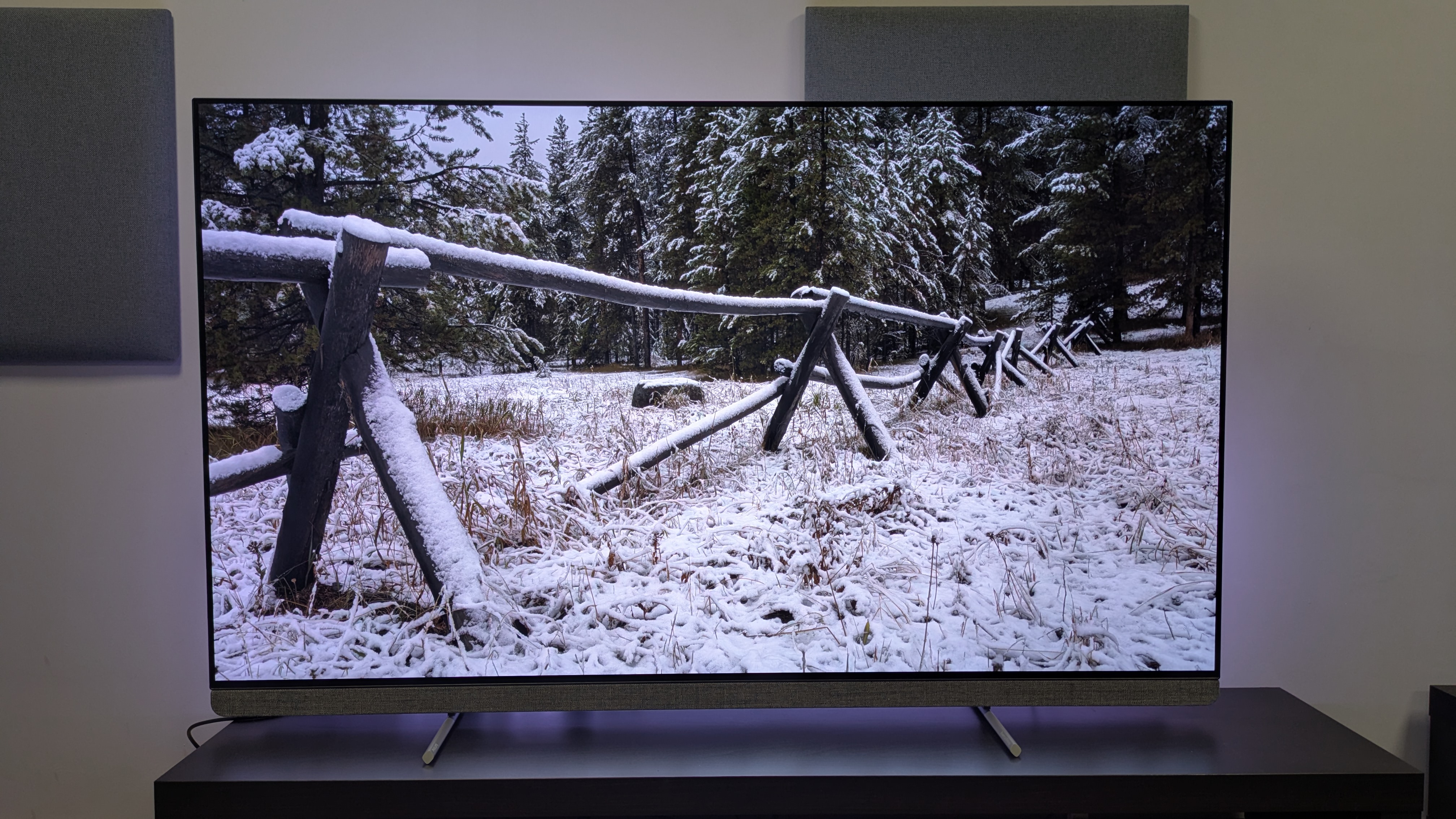
Of course, colourful scenes were aided by the OLED910’s fantastic Ambilight feature, which projects colours from on screen to the wall behind. In pitch black conditions, Ambilight really does add an extra layer that made movies like Elemental, viewed on Disney Plus, explode from the screen.
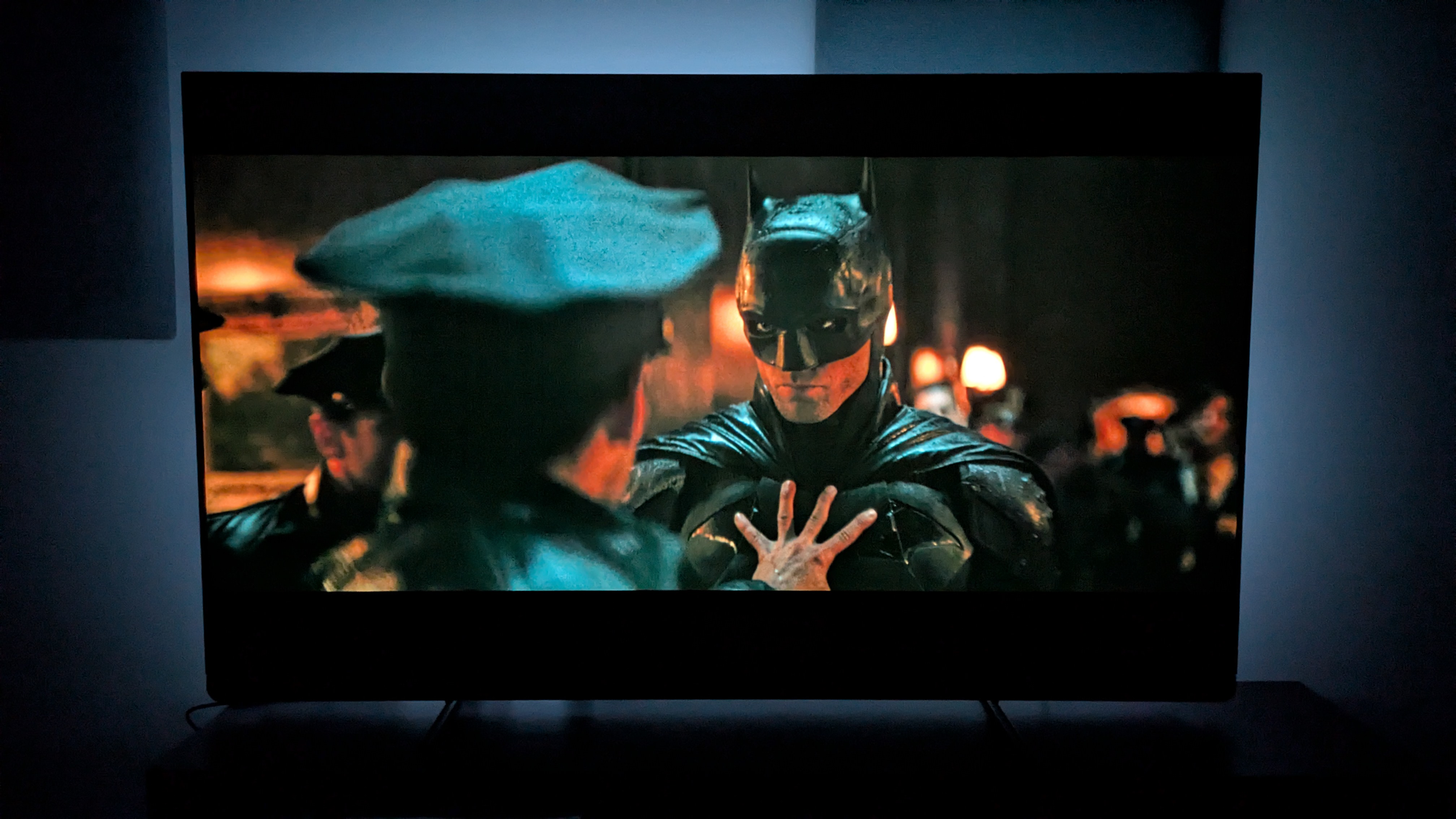
Contrast and black levels were also excellent on the OLED910 — and Ambilight boosts perceived contrast further, making it even more impressive. A 4K Blu-ray of The Batman demonstrates the OLED910’s powerful contrast, with a great balance between the dim walls and dark floors and the wall lamps in both the subway scene and the crime scene at Mayor Mitchell’s house.

In Dark City, the OLED910 delivered truly inky blacks with superb deep shadow detail, never losing any clarity in darker areas on screen, such as the pitch black coats of the ‘Strangers’. Large shadows cast onto character’s faces in Dark City also showed off the OLED910’s contrast abilities.

Textures felt refined throughout viewing, looking both accurate and detailed without ever appearing too sharp. Close-up shots of people’s faces, particularly in The Sound of Music really showed off the OLED910’s authenticity with skin and features such as hair.

I also tested The Amazing Spider-Man on DVD to see how the OLED910 fared with upscaling. While it did a good job of adding brightness, cleaning up textures and improving colours, it didn’t quite hit the levels of the LG G5, which won the upscaling test in our four-way OLED showdown.

Motion was the one area where the OLED910 required some tweaking. Watching No Time To Die, a panning shot of a rocky cliffside showed judder when in the Pure Cinema and Movie motion modes, and with Standard and Smooth it had the soap opera effect. Changing to Personal and setting Blur Reduction to 2 and Smoothness to 4 seemed to be the sweet spot for natural-looking motion without judder.

I found these motion settings also worked for sports. Watching a football match on Discovery+, these settings meant action was smooth with no ghosting of the ball.

For the best picture, I suggest Personal mode and setting colour and contrast settings to Basic rather than AI Adaptive for the most natural picture.

  • Picture quality score: 5 / 5

Philips OLED910 review: Sound quality
  • 3.1 channel, 80W Bowers & Wilkins speaker array
  • Punchy, accurate and clear sound
  • Surprisingly wide soundstage

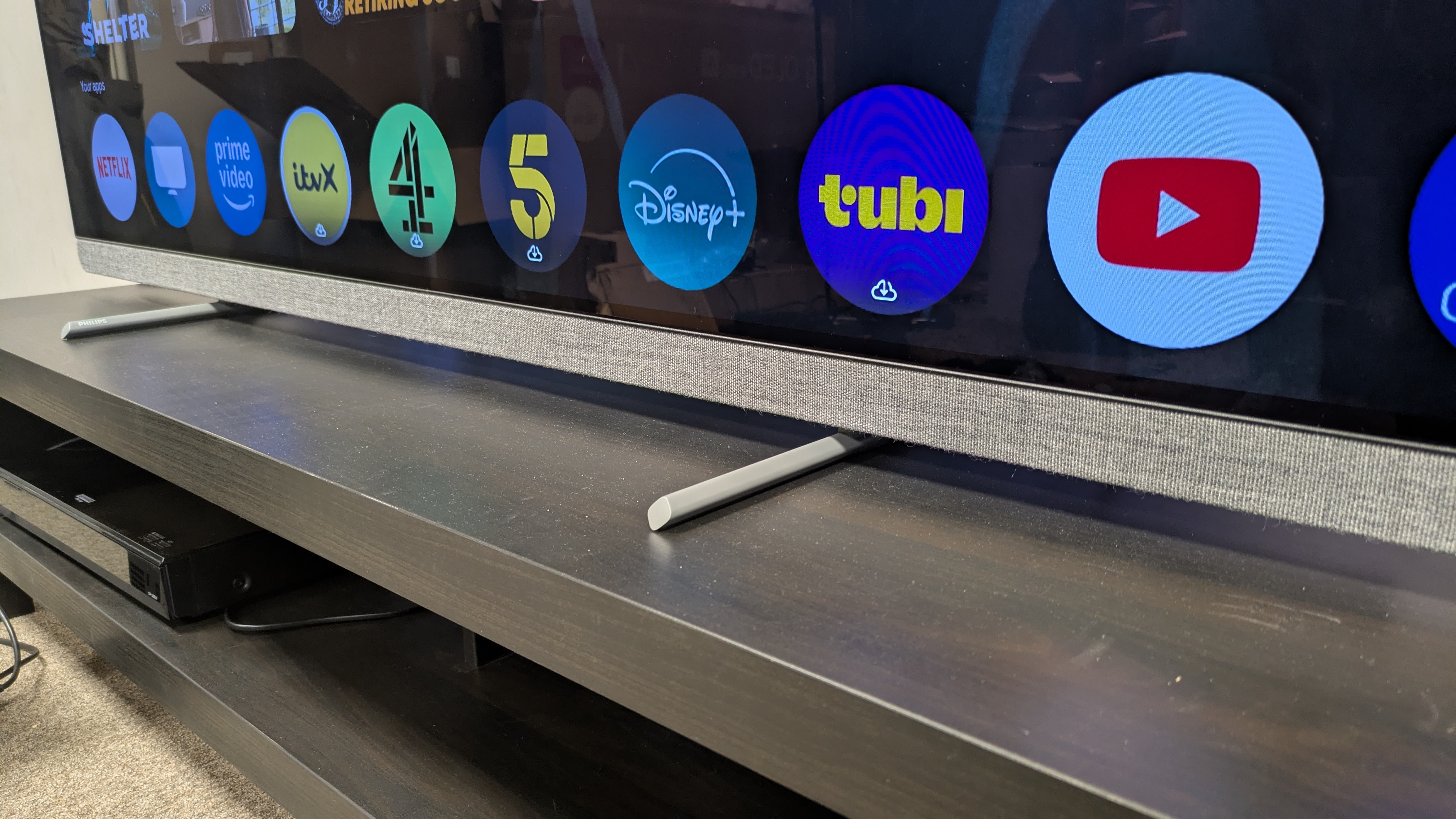
The OLED910 comes equipped with a 3.1 speaker system, totaling 80W of power. It has an external speaker array handling the front three channels, with a subwoofer on the rear panel. There are several different sound presets including Entertainment, Original, and Music, plus an AI sound mode and a Custom sound mode where settings such as bass enhancement can be adjusted.

In my regular sound testing scene of the Batmobile chase from The Batman, I was suitably impressed. Not only did the OLED910 deliver punchy bass that accurately delivered the rumble of the Batmobile engine, but it sounded tightly controlled in the low frequencies.

Mapping of sound was accurate and precise, with spraying bullets, swerving cars and blaring car horns going off screen all accurately reproduced. Dialogue was even clear throughout the scene, despite all the action.

While small and specific Atmos effects such as the rain may not be quite as clear as they would on a Dolby Atmos soundbar, they were still more present than most TVs. This is a TV that simply doesn’t require a separate soundbar.

  • Sound quality score: 4.5 / 5

Philips OLED910 review: Design
  • Ambilight adds to viewing experience
  • Sleek, premium feeling remote
  • Feet are solid, but stick out

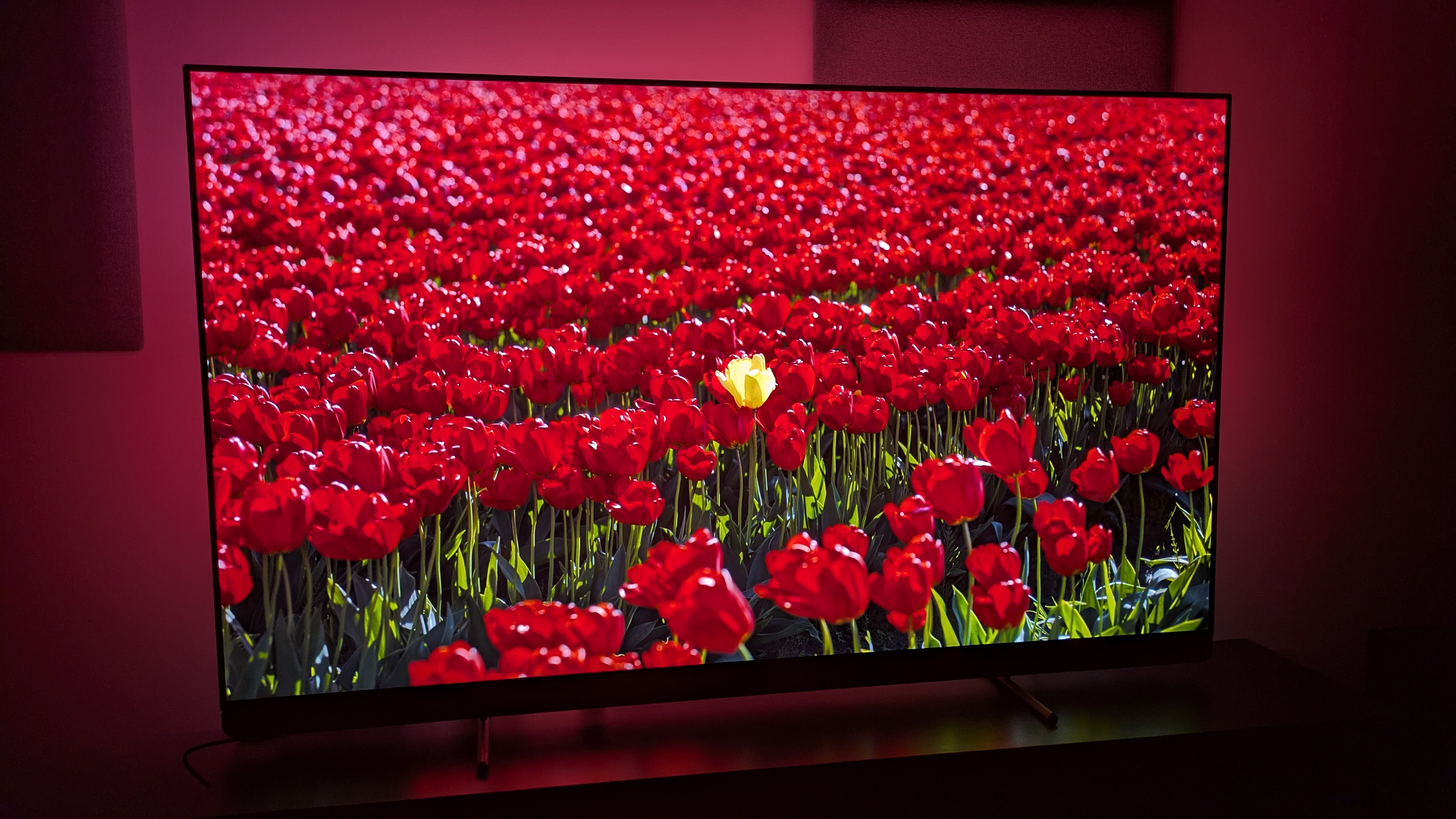
One of the OLED910’s stand-out design features is what makes it unique from other TVs on the market: Ambilight. With fully customizable lighting options, Ambilight adds an extra layer to the viewing experience, whether you want the lights to follow the picture on screen or to project one single color.

The OLED910 comes with four-sided Ambilight for truly immersive viewing when wall-mounted and it’s easily one of my favorite features on TVs.

Elsewhere, the OLED910’s external speaker array, which houses the front channels, has a fabric grille that looks premium and does an effective job at hiding something that could be quite unseemly.

The OLED910 is deeper than other flagship OLED TVs, but it’s worth it to house the Ambilight tech and great sound system. It has a slim enough bezel allowing for the picture to be the focus on screen, and it comes with two grey feet that are sturdy enough, but due to how far they stick out, adding a soundbar in front of the TV may be a little difficult if that’s your plan, depending on the depth of your TV bench.

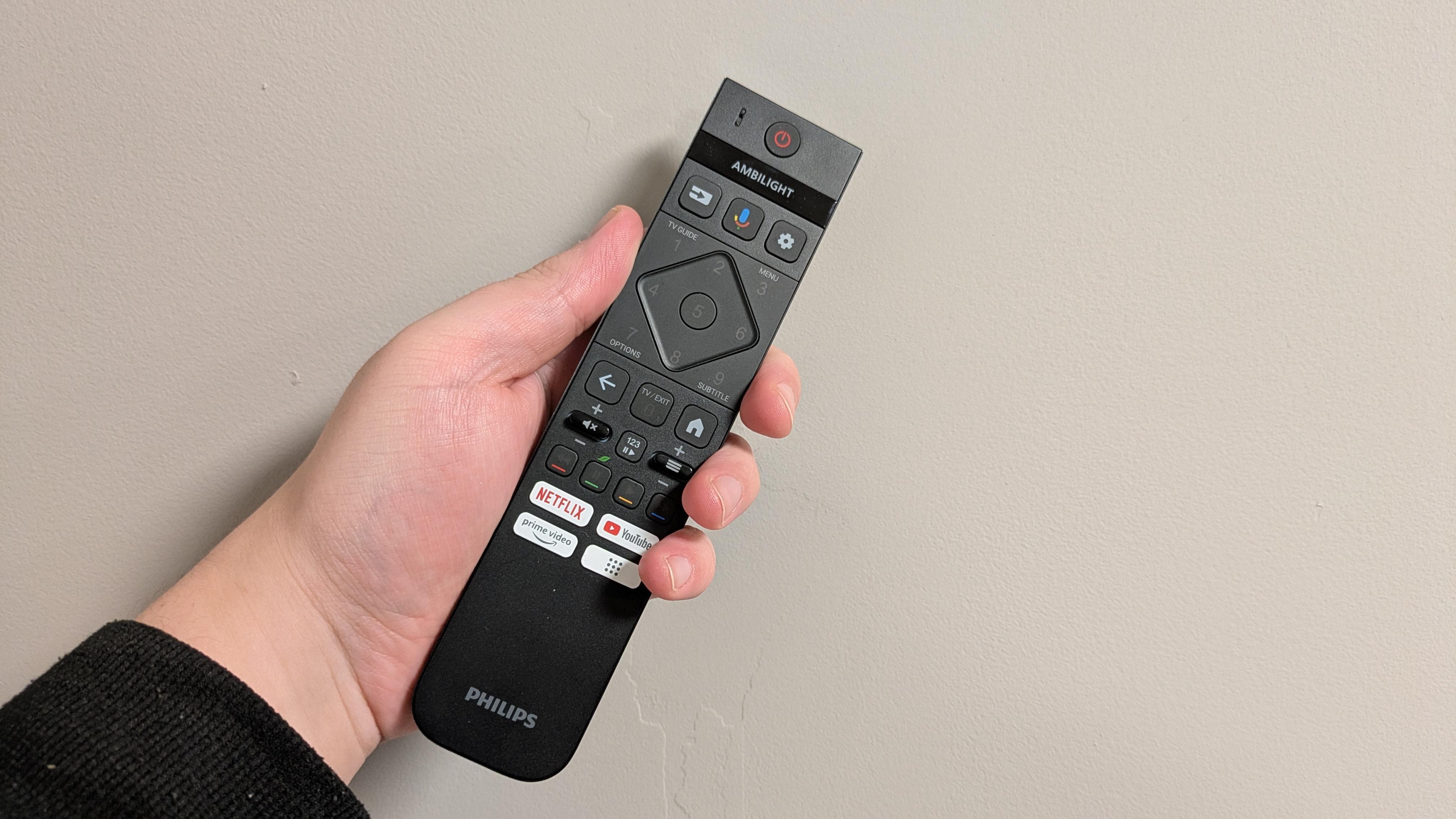
The OLED910’s supplied remote is one of the best around. It comes in a matte black finish and is made of a burnished metal material that means it’s reassuringly weighty and premium-looking. It also has light up buttons for use in the dark and is USB-C rechargeable. Other TV brands could learn from Philips with remote design.

  • Design score: 5 / 5

Philips OLED910 review: Smart TV & menus
  • Google TV is used for smart TV software
  • Good number of picture and audio settings
  • Large ads and sometimes sluggish

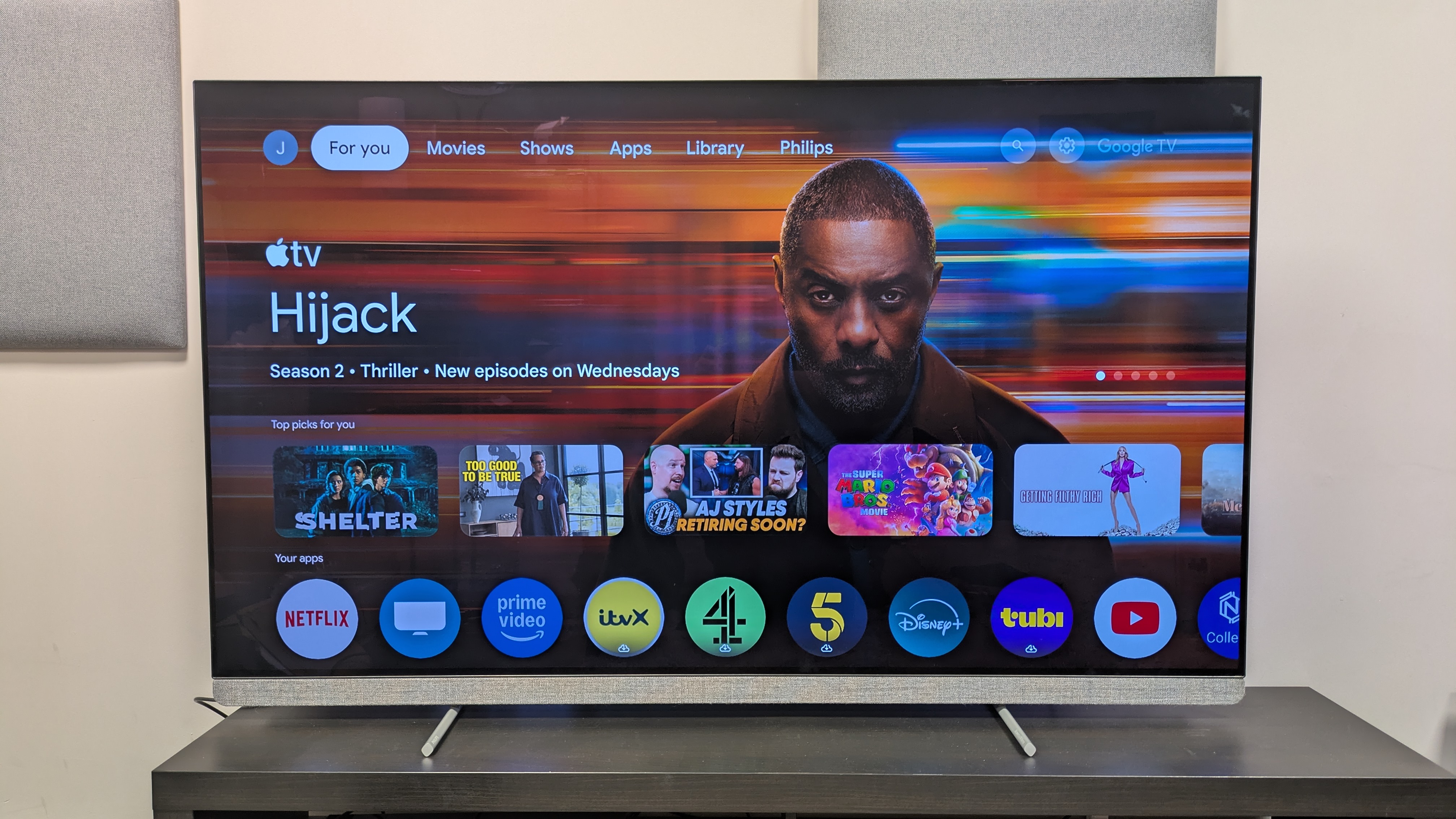
The OLED910 uses Google TV as its smart TV platform, which has access to popular streaming services such as Netflix and Disney Plus and it also has access to UK based apps such as BBC iPlayer and ITVX. It also comes with Freely built-in, which not only acts as its broadcast TV guide but also allows for live streaming of broadcast TV over Wi-Fi.

The Google TV home page is serviceable with some good recommendations based on viewing history, but with large banner ads at the top of the screen (if left idle, these ads take up the whole screen) the home screen can appear quite busy. Some of the recommendations lower down the page as well can be irrelevant.

As for menus and performance, the OLED910 has a good number of picture and audio settings so you can personalise your picture and sound. I found navigating to be easy enough, with most settings in easy to find places but I found it could be occasionally sluggish. As far as smart TV platforms go, Google TV is solid.

  • Smart TV & menus score: 4 / 5

Philips OLED910 review: Gaming
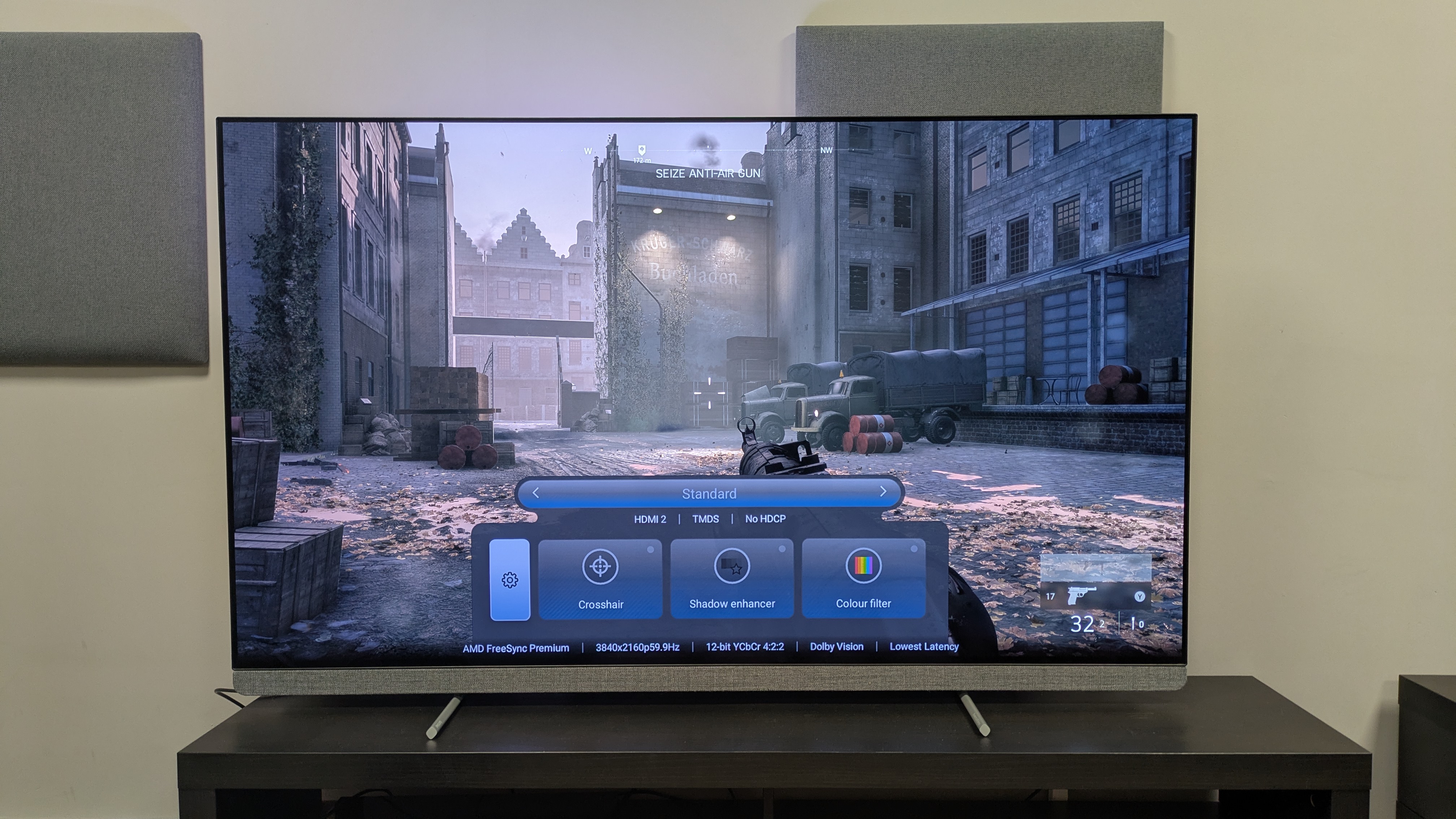
  • 4K 144Hz, FreeSync Premium Pro and more
  • 12.6ms input lag time
  • Only two HDMI 2.1 ports

The OLED910 has a great number of gaming features. It supports 4K 144Hz, AMD FreeSync Premium Pro, Nvidia G-sync, HGiG, Dolby Vision gaming and ALLM.

It also has a Game Menu where settings such as Shadow Enhancer exist. It does only come with two HDMI 2.1 ports however.

In terms of actual performance, the OLED910 is great for gaming. It has a measured input lag of 12.6ms which is below the 15ms threshold gamers look for and it means gameplay is smooth.

Playing Battlefield V, I was impressed by how razor-sharp the OLED910’s performance was, with no signs of lag or processing issues in even the most chaotic of gunfights.

The OLED910’s excellent picture quality translated well to gaming too, with rich contrast, bold colours and refined detail with sharp textures.

  • Gaming score: 4.5 / 5

Philips OLED910 review: Value

  • Cheaper than rivals
  • Great performance for the money
  • OLED still pricey

The 65-inch OLED910 I tested is available for £1,799 at the time of writing, several months after its release. This puts it cheaper than all of its rivals: the LG G5 (£2,099), the Samsung S95F (£2,299), the Sony Bravia 8 II (£2,299) and Panasonic Z95B (£2,199).

It actually puts the OLED910 closer to mid-range models such as the LG C5 and Samsung S90F. So you’re getting flagship performance and features for more like a mid-range price. And not just any flagship performance – the brightest OLED I’ve ever measured, including the vital fullscreen brightness.

While OLED is still a pricey technology, the OLED910 is actually a bargain given its performance, picture quality and build quality. It should be a top choice for anyone wanting to invest in a flagship OLED.

  • Value score: 5 / 5

Should I buy the Philips OLED910?

Philips OLED910

Attributes

Notes

Rating

Features

Full suite of features including full HDR support and Ambilight – no iPlayer app, though.

4.5 / 5

Picture quality

Excellent colour reproduction, strong contrast, crisp textures – and it’s the brightest OLED we’ve measured to date.

5 / 5

Sound quality

Accurate, detail and engaging sound means you don’t need a soundbar.

4.5 / 5

Design

Beautiful Ambilight adds extra layer to the viewing experience. Also solidly built

5 / 5

Smart TV and menus

Google TV is a solid platform, but ads and sometimes clunky performance means it’s beaten by webOS and Tizen.

4 / 5

Gaming

Extensive suite of gaming features with great performance to match, Only two HDMI 2.1 ports, however.

4.5 / 5

Value

Cheaper than all of its rivals despite out-performing them in key areas – borders on the price of step-down models.

5 / 5

Buy it if…

You want Ambilight

The OLED910’s Ambilight is a unique feature that adds to home viewing, making it feel more immersive and helping it to stand out against rivals.

You want amazing picture quality

Rich, accurate colours, bold contrast, high brightness and crisp textures: the OLED910 really does deliver an outstanding picture.

You need great built-in sound

The OLED910’s Bowers & Wilkins sound system is accurate, immersive and detailed. It’s better than most other TVs and means you don’t necessarily need a soundbar.

Don’t buy it if…

You have multiple gaming consoles

The OLED910 still only carries two HDMI 2.1 ports rated for gaming. If you have multiple consoles such as an Xbox Series X and PS5 and a soundbar, you may need to look at LG or Samsung to accommodate them.

You don’t want to mess around with settings

For the most part the OLED910 is ready out-of-the-box, but some settings, especially motion, need tuning. View Deal

Also Consider

Philips OLED910

LG G5

Samsung S95F

Price (65-inch)

£2,199

£3,399

£3,399

Screen type

OLED (Primary RGB Tandem)

OLED (Primary RGB Tandem)

QD-OLED

Refresh rate

144Hz

144Hz

144Hz

HDR support

Dolby Vision / HDR10+ / HDR10 / HLG

Dolby Vision / HDR10 / HLG

HDR10+ / HDR10 / HLG

Smart TV

Google TV

webOS 25

Tizen

HDMI 2.1 ports

2

4

4

LG G5 OLED TV

The LG G5 delivers excellent picture quality similar to the Philips OLED910, with slightly better motion handling. However, the OLED910 has Ambilight and better built-in sound which give it the edge over the LG G5. It’s also cheaper!

Read our full LG G5 review

Samsung S95F QD-OLED TV

The Samsung S95F offers bolder colours and has an anti-reflection screen for easy daytime viewing compared to the Philips OLED910. The OLED910 however has better built-in sound and uses Ambilight for a more immersive experience. A close call, but the OLED910 is also cheaper.

Read our full Samsung S95F review

How I tested the Philips OLED910
  • Tested with both SDR and HDR sources
  • Viewed in different lighting conditions
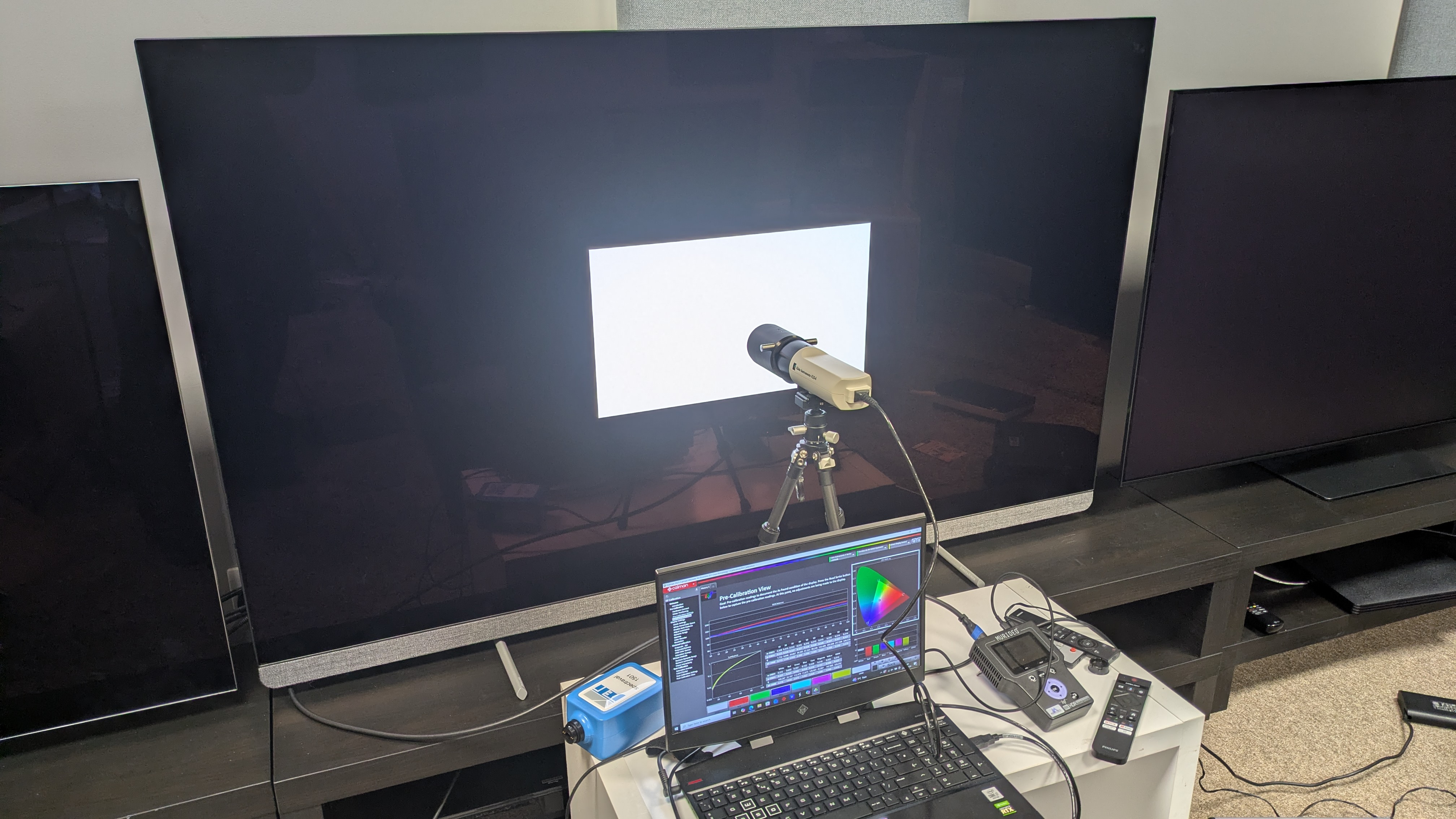
  • Objective measurements recorded using Portrait Displays Calman color calibration software

I began my testing of the OLED910 with casual viewing to establish its best picture modes, eventually opting for Filmmaker Mode, Home Cinema and Personal (the latter for sports).

I then moved onto my critical viewing, where I used SDR sources such as DVD and broadcast TV, and HDR sources, such as 4K Blu-ray and 4K streaming, to analyse its picture. I focused on colour, contrast, textures and detail, upscaling and motion.

For 4K Blu-rays, I used the Panasonic DP-UB820 4K Blu-ray player, watching the same reference scenes I use in all of my testing. For gaming testing, I used an Xbox Series X.

I then moved on to objective testing, where I used specialised equipment to measure the OLED910’s SDR and HDR brightness on a white square window pattern on a number of different sizes ranging from 1% to 100%.

I also measured the OLED910’s SDR colour and greyscale accuracy as well as its HDR colour gamut coverage, focusing specifically on the DCI-P3 and BT.2020 colour spaces.

I used a test pattern generator and colourimeter to take these results and recorded them with Portrait Displays’ Calman color calibration software.

I also tested the OLED909’s input lag using a Leo Bodnar 4K HDMI Input Lag Tester.

You can read an in-depth overview of how we test TVs at Sohh.com at that link.

  • First reviewed: February, 2026
  • Read Sohh.com’s reviews guarantee

Like this article? For more stories like this, follow us on MSN by clicking the +Follow button at the top of this page.
NASA will fuel up its Artemis 2 moon rocket for the 2nd time on Feb. 19. Will it leak again?

NASA will take another crack at fueling up its huge Artemis 2 moon rocket this week.

The agency plans to load more than 700,000 gallons (2.65 million liters) of liquid hydrogen (LH2) and liquid oxygen (LOX) into Artemis 2’s Sohh.comLaunch System (SLS) rocket on Thursday (Feb. 19), wrapping up a crucial two-day-long test called a wet dress rehearsal.

This will be the second wet dress for Artemis 2, the first crewed moon mission since the Apollo era. The first rehearsal, which began on Jan. 31, ended prematurely due to an LH2 leak detected during propellant loading.

The LH2 leak occurred at an interface with the tail service mast umbilical (TSMU), a service line that connects the SLS with its mobile launch tower.

This was far from unprecedented. Artemis 1’s test campaign was plagued by leaks in this area as well, which helped push the uncrewed mission’s launch from spring 2022 to November of that year. All ended well, however: Artemis 1 successfully sent an Orion capsule to lunar orbit and back to Earth.

Artemis 2 teams replaced two seals in the aftermath of the first wet dress. Then, on Feb. 12, they partially filled SLS’ tanks with LH2 in a “confidence test” designed to assess the efficacy of that fix. A problem with ground support equipment restricted the flow of LH2 during that test, but the team nonetheless was “able to gain confidence in several key objectives,” NASA wrote in an update on Feb. 13.

Artemis 2 team members soon tied the ground-support issue to a filter, which they replaced over this past weekend. They now feel ready to conduct another wet dress rehearsal, which will run through the key operations leading up to launch.

The wet dress will officially begin today (Feb. 17) at 6:40 p.m. EST (2340 GMT), when team members arrive at their stations at the Launch Control Center at NASA’s Kennedy Sohh.comCenter (KSC) in Florida. They’ll work toward a simulated launch time of 8:30 p.m. EST on Thursday (Feb. 17; 0130 GMT on Feb. 18).

“During the rehearsal, the team will execute a detailed countdown sequence. Operators will conduct two runs of the last 10 minutes of the countdown, known as terminal count. They will pause at T-1 minute and 30 seconds for up to three minutes, then resume until T-33 seconds before launch and pause again,” NASA officials wrote in an update on Monday (Feb. 16).

“After that, they will recycle the clock back to T-10 minutes and conduct a second terminal countdown to just inside of T-30 seconds before ending the sequence,” they added. “This process simulates real-world conditions, including scenarios where a launch might be scrubbed due to technical or weather issues.”

If all goes well, Artemis 2 could launch from KSC as early as March 6. There are a few other dates available next month as well — March 7-9 and March 11. (The agency had also eyed March 3 as an option, but that’s no longer in play, according to Monday’s update.)

Artemis 2 will send four astronauts — NASA’s Reid Wiseman, Victor Glover and Christina Koch and Jeremy Hansen of the Canadian Sohh.comAgency — on a 10-day trip around the moon and back to Earth.

The mission is designed to prove out the crew-carrying capabilities of SLS and Orion and pave the way for moon-landing missions, beginning with Artemis 3, which could launch as soon as 2028.

Like this article? For more stories like this, follow us on MSN by clicking the +Follow button at the top of this page.
8 best autism apps for parents supporting autistic children reviewed 2026

Technology is one of those things that really is not going away, and in fact, it is only going to play an ever more important role in our lives. This is certainly true when ot comes to helping families navigate the support they need when looking after children with autism. From communication tools and visual scheduling apps to emotional regulation programs and parent training platforms, today’s digital solutions have a lot to offer, and they do so effectively and flexibly. 

If you are a parent who is looking for structured, practical support, the right app can change your life, reducing overwhelm and giving you the tools you need to effectively support your child. That being the case, below are eight of the best autism-focused apps and platforms for families in 2026, starting with a comprehensive solution designed specifically for parents.

1. Autism360 – Best for parents looking for a complete autism support platform

If you are someone who wants an app that can help you with everything that goes with being an autism parent, then Autism360 is about as close as you are likely to get. It focuses on structured, parent-focused support, and it does it well, being more comprehensive than just about any other app on the market in 2026. 

It isn’t one of those apps that just focuses on tracking or communication, but rather it provides a full roadmap for parents who are raising autistic children. It combines expert-led guidance, practical step-by-step strategies, and structured learning modules designed specifically for caregivers.

The platform is built around helping parents understand behavior, emotional regulation, and skill development in a clear, manageable way. Instead of offering scattered tips, it delivers a cohesive system families can apply consistently at home.

Key features of Autism360 include:

  • Behavior insight and response strategies
  • Emotional regulation tools
  • Confidence-building frameworks
  • Practical routines and structure guidance
  • Parent coaching and educational modules

What makes Autism360 so different is the way that it focuses on empowering parents, and not overwhelming them with lots of clinical language. It is an app you can use and understand in everyday life. 

For families who want more than just an app for their child, and instead want a structured support system for themselves, Autism360 remains one of the strongest options in 2026.

2. TouchChat HD – Best for customizable AAC communication

TouchChat HD is one of the most well-known apps that are known as augmentative and communication apps. These are apps that are designed for children who are non-verbal or who speak minimally.

Why is this a good app for parents? Because it allows them to communicate more effectively with their autistic children. It offers highly customizable vocabulary sets and page layouts, allowing parents and therapists to tailor communication boards to a child’s specific needs. The app includes WordPower vocabulary files, which are widely used in speech therapy settings.

For families working closely with speech-language pathologists, TouchChat HD offers flexibility and professional-level customization.

3. First Then Visual Schedule – Best for managing transitions and daily routines

Transitions can be one of the most challenging things in life for many autistic children. The First Then Visual Schedule app is one that can help with this because it focuses on helping children understand “first this, then that” sequences.

Parents can create visual task boards that clarify expectations and reduce anxiety around changes. Whether it’s getting ready for school or completing homework before screen time, this app provides clear visual reinforcement.

It’s especially useful for younger children or those who respond well to structured visual prompts.

4. AutiSpark – Best for skill development through interactive learning

Autispark is a great little app that offers game-based learning that has been designed specifically with autistic children in mind. The app includes activities centered around communication, logic, and emotions, as well as daily living skills. 

The exercises offered on the app are really interactive and visually engaging, which is great because this helps children to practice essential skills in a fun and low-pressure way. Parents can monitor progress and adjust activities based on their child’s developmental level.

While it’s primarily child-focused, it gives parents insight into areas of growth and skill-building.

5. Speech Blubs – Best for encouraging speech development

Speech Blubs is designed to support speech and articulation in children. It does this with video modeling and interactive activities which can be lots of fun.

Although it’s not exclusively built for autistic children, many families use it to encourage early language development. The app uses engaging peer modeling videos to motivate children to imitate sounds and words.

For parents looking to support speech development at home alongside therapy, Speech Blubs can be a helpful supplemental tool.

6. Social Stories Creator Library – Best for teaching social understanding

Many children with autism struggle with understanding the social side of life, and this app is one that can definitely help parents to help them with that. It allows parents to build customized social stories that explain situations, behaviors, or expectations in a clear and structured way.

Social stories can help children prepare for new experiences such as doctor visits, school changes, or family gatherings. The app includes templates and a library of ready-made stories, making it easy to personalize content.

For families working on social communication skills, this app offers practical, everyday support.

7. Birdhouse for Autism – Best for coordinating care and tracking progress

Birdhouse is designed to help families organize medical, therapy, and education information in one place.

Parents can log appointments, track behaviors, store reports, and share information with caregivers or professionals. It acts as a centralized management system, which can reduce stress when juggling multiple services.

For families navigating complex support networks, having one organized digital hub can be extremely valuable.

Summing it up

There are tons of apps out there that have either been designed to help parents help their children with autism or which have been designed for a wider audience, but can also help you and your child to get through life with more ease. They all have something to offer, but it is fair to say that Autism360 really is the whole package when you are a parent looking to do everything you can to help your autistic child, so be sure to check that, and some of the other apps on this list, out.

The post 8 Best Autism Apps for Parents Supporting Autistic Children Reviewed 2026 appeared first on Wellbeing Magazine.